


From Zero to Online: A Simple Website Launch Checklist for Small Businesses
Launching your first business website is an exciting milestone. To make a strong first impression online, you’ll want to make sure your site checks all the right boxes before going live. Beyond looking good, your website needs to be fast, mobile-friendly, secure, and easy to find on search engines. You’ll also need to think about tools like domain names, hosting, analytics, and content management systems (CMS) to get up and running.
Here’s a simple, jargon-free checklist to help small business owners in Singapore launch a website that not only looks great, but performs well, too.
Start with a domain
Your domain name is your digital address. It should be short, memorable, and accurately represent your business. Choosing a .com or .com.sg domain gives your business credibility and shows visitors you’re serious. To mitigate risk, secure your domain name at the outset, before it becomes unavailable. You may also want to consider buying up the related domains or variations to protect your brand for the future. Example: yourbrand.com, yourbrands.com, yourbrand.sg, yourbrand.com.sg, etc.
Choose the Right Web Hosting Provider
Now that you have a domain, you need to get your website online. Your web host is like a storage space where all the parts of your website, including images, text, and code, are kept so people can access it online. Without hosting, your website wouldn’t be visible on the internet.
When selecting a web hosting provider, prioritise reliability and performance. Look for a company with a proven track record of fast loading speeds, consistently high uptime, and dependable 24/7 customer support. These factors directly influence user experience and overall site credibility. It’s also worth considering the level of technical involvement required. For small businesses with limited in-house IT resources, managed hosting services can be a smart investment. They handle essential tasks such as server configuration, security updates, performance monitoring, and routine maintenance, allowing your team to focus on core business operations rather than troubleshooting technical issues. A well-chosen hosting partner can ultimately contribute to smoother operations and a more professional online presence.
Set Up a Content Management System (CMS)
A CMS such as WordPress, Wix, or Shopify lets you create and manage your website without needing to code. It should be user-friendly, secure, and flexible enough to grow with your business. Most CMS platforms also support plugins and integrations for SEO, e-commerce, and analytics.
Think Mobile First

Over 90% of users in Singapore browse the internet on their phones. Your website must not only look appealing on mobile devices but also operate seamlessly. Slow load times, hard-to-read text, or buttons that are difficult to tap can quickly erode trust and credibility. Implementing responsive design ensures your site automatically adjusts to any screen size, providing a consistent, user-friendly experience across all devices. Responsive design also improves accessibility, supports better engagement, and can even boost your search visibility.
Secure Your Website with HTTPS
Security is non-negotiable. A valid SSL certificate secures your website, triggers the padlock icon in the browser, and signals to visitors that their connection is safe. HTTPS not only protects your data, it also boosts trust and improves your site’s Google ranking. Websites without an SSL certificate may not even appear on the Google Search Engine Results page. Additionally, browsers may block access to your website.
Plan your website structure
Start with the basics: Home, About Us, Products/Services, and Contact. These pages help visitors understand who you are, what you offer, and how to get in touch. Add clear navigation and calls to action so users know what to do next.
Set Up Google Analytics
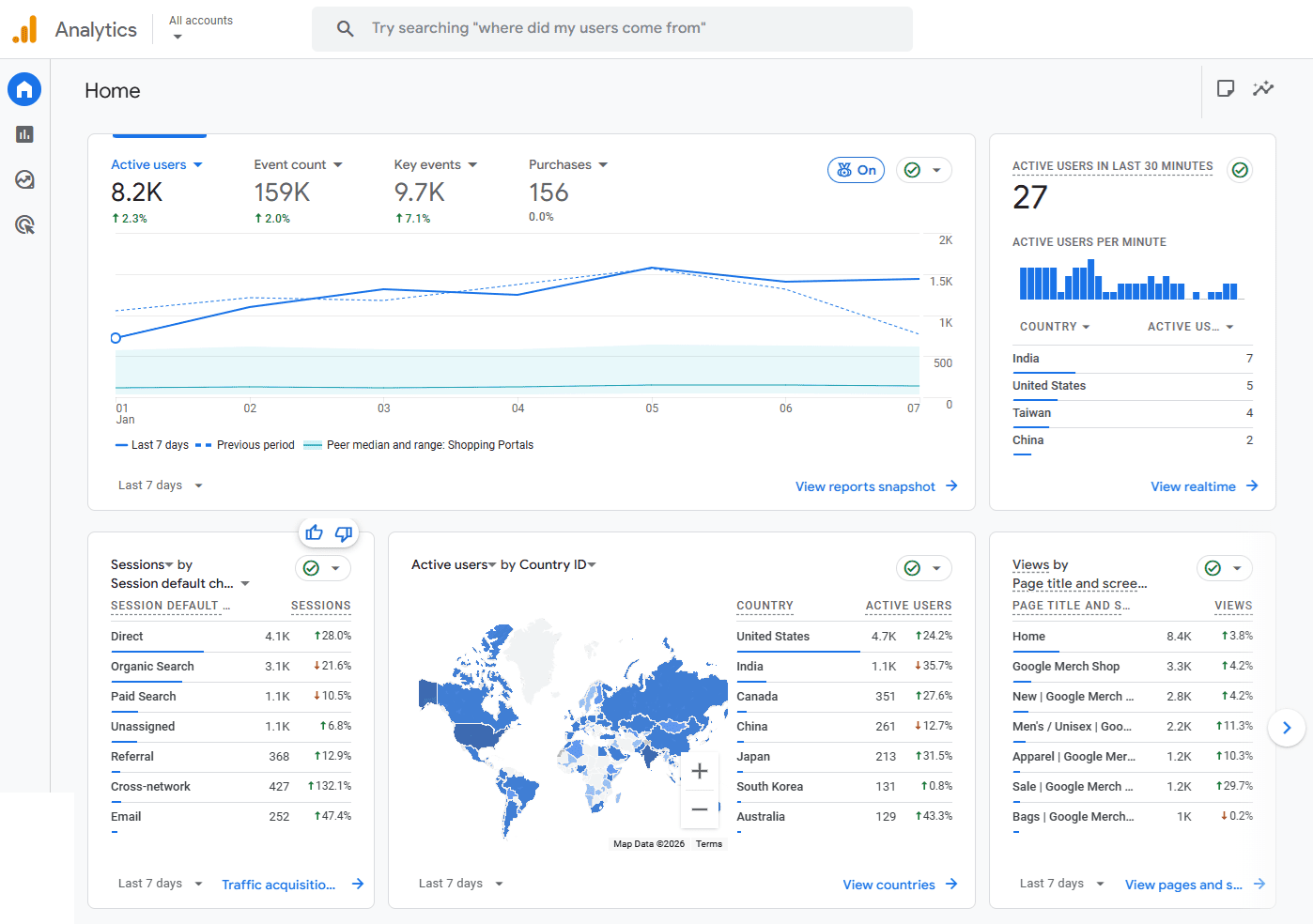
Google Analytics is a free tool by Google that helps you track who visits your site, how they found you, and how they interact with your website such as which pages they visit, what buttons they click, and what pages they exit from. This data is essential for improving your content, marketing, and user experience. It’s free, and the basic setup is relatively easy, even for beginners.
Test Everything Before You Launch
Preview your site on different devices and browsers. Check all links, buttons, and forms to make sure they work. Review your site for issues such as typos, broken images, dead links, or formatting inconsistencies. Your launch is your first chance to shine.
Ready to Launch?
Getting your business online doesn’t have to be complicated. With the right tools and a solid checklist, you can launch a website that’s fast, functional, and professional.
Need help getting started? Explore our SME Web Services to register your domain, set up hosting, and launch your site, all in one place.
