





- MyRepublic
Online gaming has evolved far beyond simply having a fast internet connection. No matter what your game style: climbing the ranks in competitive shooters, exploring massive open worlds or streaming your gameplay, latency, connection stability and network congestion can have just as much impact on your experience as your broadband speed.
That’s where a gaming router comes in.
While a gaming router won’t magically lower your ping or make distant game servers any closer, it can help you get the most out of your broadband connection. By prioritising gaming traffic, reducing network congestion and delivering a more stable connection across all your devices, the right router helps ensure your network isn’t the weakest link in your gaming setup.
TL;DR
- A gaming router won't magically reduce your ping, but it can improve network stability and prioritise gaming traffic.
- Look for features like QoS, multi-gig Ethernet, Wi-Fi 7 and a powerful processor.
- A fast router helps you make the most of high-speed broadband, but it won't overcome limitations in your devices or home network.
- Competitive gamers should still use Ethernet whenever possible.
- Routers like the ASUS ROG GS-BE7200S and TP-Link Archer GE800 are excellent options if you're building a high-performance gaming setup.
What Is a Gaming Router?
A gaming router is a router that’s designed with online gaming in mind. While it performs the same basic job as any standard router, which is to connect your devices to the internet, it also includes features that help prioritise gaming traffic, reduce network congestion and deliver a more stable connection when your network is under load. Think of it as giving your games the express lane on your home network, especially when other people are streaming, downloading or video calling at the same time.
Who Actually Needs a Gaming Router?
A gaming router is worth considering if you:
- Play online multiplayer games regularly.
- Share your internet connection with family or housemates.
- Stream your gameplay while gaming.
- Have a fast broadband plan, such as 10Gbps, and want to maximise its performance.
- Own multiple gaming devices, PCs or consoles connected to the same network.
If you mostly browse the web, watch Netflix and occasionally play casual games, a standard router will likely serve you just fine.
Common Misconceptions About Gaming Routers
One of the biggest misconceptions is that a gaming router will instantly reduce your ping or make you a better player. In reality, your latency is still influenced by factors such as your internet service provider, your connection to the game server and the physical distance between you and that server.
What a gaming router can do is reduce delays caused by your own home network. Features like Quality of Service (QoS) help prioritise gaming traffic over less time-sensitive activities, such as large downloads or 4K video streaming, so your connection stays smooth even when everyone else is online.
Gaming Router vs Standard Router
Not all routers are created equal. A “standard” router is usually designed to meet the needs of the average household: web browsing, video streaming and connecting a handful of devices. For most people, that’s more than enough.
Gaming routers, on the other hand, are built for users who demand more from their network. They often include features like advanced Quality of Service (QoS), multi-gig Ethernet ports, faster processors and more customisation options, allowing them to better handle online gaming, high-speed broadband and multiple connected devices at the same time.
| Feature | Standard ISP Router | Gaming Router |
|---|---|---|
| Everyday browsing & streaming | ✅ | ✅ |
| Gaming traffic prioritisation (QoS) | Basic or limited | Advanced |
| Multi-gig Ethernet ports | Rare | Common |
| Advanced network settings | Limited | Extensive |
| Designed for high-performance gaming | No | Yes |
| Best suited for | Everyday households | Gamers, creators & power users |
It’s worth noting that not everyone needs a gaming router. If your household mainly browses the web and streams videos, a standard ISP router will likely do the job. But if you’re investing in a high-end gaming PC, a fast broadband plan or regularly play competitive online games, upgrading your router can help ensure the rest of your network keeps up.
Why a gaming router matters more than you think
When most people think about improving their gaming experience, they usually focus on upgrading their PC, graphics card or broadband plan. But your router is the unsung hero that keeps everything connected. It’s responsible for managing traffic between every device in your home, ensuring your gaming PC, console, smart TV, smartphones and laptops can all access the internet without getting in each other’s way.
This becomes especially important in today’s connected homes. While you’re trying to clutch a ranked match, someone else might be streaming Netflix in 4K, another person is downloading a massive game update, and a video call is happening in the next room. Without proper traffic management, all of these activities compete for the same network resources, which can lead to lag spikes, increased latency or unstable connections.
A good gaming router acts like a traffic controller, intelligently managing data so that time-sensitive activities like online multiplayer games or cloud gaming are prioritised over less urgent tasks such as file downloads or software updates.
The result is a smoother, more consistent gaming experience, even when the rest of the household is online.
How the Right Router Can Maximise Your Broadband Speed
If you’ve upgraded to 10Gbps broadband but you’re still using an old Wi-Fi 5 router with Gigabit-only ports, you’re creating a bottleneck before the data even reaches your PC or console.
That’s why modern gaming routers come equipped with 2.5GbE, 5GbE or even 10GbE ports, giving them the bandwidth to keep up with today’s ultra-fast internet plans, massive game downloads and multiple connected devices.
Just remember: a 10Gbps broadband plan, a 10Gbps router and a 10Gbps Ethernet port are three different things. To unlock multi-gig speeds, every part of your network needs to support them.
If you’re planning to make the jump to 10Gbps broadband, it’s worth pairing it with a router that can actually take advantage of those speeds. And if online gaming is your priority, get Ultra Low Latency with MyRepublic GAMER Broadband which includes Custom Network Routing, providing direct peering to popular gaming servers.
Read more in this HyperSpeed vs GAMER 10Gbps Broadband guide.
Router Features Every Gamer Should Look For
While flashy RGB lighting and aggressive designs might grab your attention, it’s what’s under the hood that really makes the difference. Here are the features that are actually worth paying for.
Quality of Service (QoS)
Think of it as a traffic controller for your home network. Instead of treating every device equally, QoS recognises gaming traffic and gives it priority over less time-sensitive activities.
So while someone in your house is downloading a huge game update or binge-watching Netflix, your online match continues to get the bandwidth it needs. Less lag, fewer latency spikes and a more consistent gaming experience.
Multi-Gig Ethernet Ports
A gaming router is only as fast as its ports. While older routers are limited to 1Gbps Ethernet, modern gaming routers often feature 2.5GbE, 5GbE or even 10GbE ports, allowing them to fully utilise today’s high-speed broadband plans.
If you’re on a standard 1Gbps connection, Gigabit Ethernet is perfectly adequate. But if you’ve upgraded to 10Gbps broadband, these faster ports help ensure your router isn’t the bottleneck.
A Powerful Processor
People often forget that routers are computers too. Every time a device connects to your network, streams a movie, downloads a game or joins an online match, your router is processing that traffic in real time.
A more powerful processor helps the router handle multiple demanding tasks simultaneously, making it especially useful in homes where gaming, streaming, video calls and smart home devices are all happening at once.
Beamforming & OFDMA
These may sound like technical buzzwords, but they’re designed to make your Wi-Fi work smarter.
Beamforming focuses the wireless signal towards connected devices instead of broadcasting it equally in every direction, while OFDMA allows multiple devices to share the same wireless channel more efficiently. Together, they help improve wireless performance in busy households where several devices are online at the same time.
If you’re gaming over Ethernet, these features won’t make a noticeable difference. But for laptops, handheld gaming devices and everyone else using Wi-Fi, they’re a welcome bonus.
Wi-Fi 7
The latest generation of wireless networking, Wi-Fi 7 brings faster speeds, lower latency and better efficiency than previous Wi-Fi standards. It also introduces technologies like Multi-Link Operation (MLO), allowing compatible devices to use multiple frequency bands at once for a more stable wireless connection.
For competitive gamers, however, Ethernet is still king. A wired connection remains the fastest and most reliable way to play online, with the lowest possible latency and no risk of wireless interference. Think of Wi-Fi 7 as the best option for wireless gaming, and not a replacement for a network cable.
Which raises an important question:
Do you actually need Wi-Fi 7 for Gaming?
If you’re buying a new gaming router today: yes, but not for the reason you might think.
Wi-Fi 7 offers higher speeds, lower latency and better efficiency than Wi-Fi 6, making it a great choice for newer laptops, handheld gaming devices and future-proofing your home network. But if you’re gaming on a desktop PC or console connected via Ethernet, you probably won’t notice a huge difference during gameplay.
That’s because a wired connection is still the gold standard for gaming. It offers the lowest latency, the most stable connection and isn’t affected by wireless interference. A Wi-Fi 7 gaming router brings wireless performance closer than ever to that wired experience.
Wi-Fi 7 Gaming Router: It’s Faster than Wi-Fi 6, But Wired Still Wins
| Feature | Wi-Fi 6 | Wi-Fi 7 | Ethernet |
|---|---|---|---|
| Gaming performance | Excellent | Excellent | ⭐ Best |
| Latency | Low | Lower | Lowest |
| Stability | Very good | Excellent | Excellent |
| Speed | Fast | Faster | Fastest & most consistent |
| Designed for high-performance gaming | No | Yes | Yes |
| Best for | Most homes | New devices & future-proofing | Competitive gaming |
Bottom line: If you’re gaming on a desktop PC or console, Ethernet is still the best choice for the lowest latency and most stable connection. If running a cable isn’t practical, Wi-Fi 7 is the next best thing, offering better performance and future-proofing than Wi-Fi 6. If you already have a solid Wi-Fi 6 setup, there’s no need to rush into an upgrade unless you’re buying a new router or adding Wi-Fi 7-compatible devices.
Do Gamers Need a Mesh Wi-Fi System?
Many gaming routers support mesh networking, allowing you to expand Wi-Fi coverage throughout larger homes without changing networks as you move around.
As we’ve discussed previously, a wired Ethernet connection is still the best option for gaming. Mesh systems are designed to improve wireless coverage, not outperform a direct cable connection.
Where mesh really shines is for the rest of the household. Smartphones, tablets, smart TVs, handheld gaming devices and laptops all benefit from stronger, more consistent Wi-Fi in every room. If you live in a large apartment or you’re experiencing Wi-Fi drop off in parts of the house, Mesh Wi-Fi could be for you.
Pairing a gaming router with a mesh system can give you the best of both worlds: wired gaming performance where it matters, and reliable wireless coverage everywhere else.
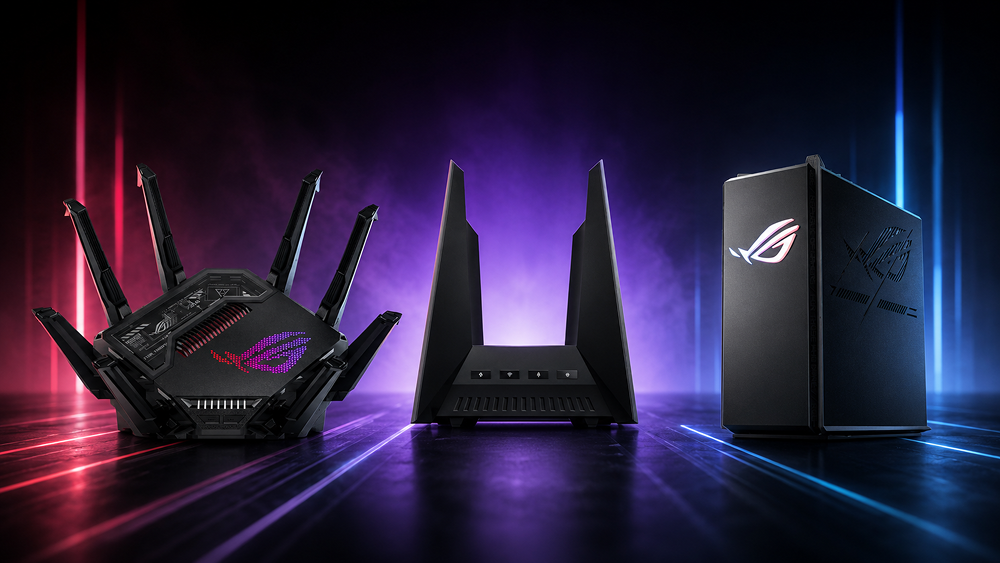
ASUS Gaming Router Spotlight: ASUS ROG GS-BE7200X
If you’re looking for your first dedicated gaming router, the ASUS ROG GS-BE7200X is an excellent place to start. It brings many of the features we’ve covered throughout this guide, such as Wi-Fi 7, Adaptive QoS and multi-gig connectivity – without stepping into flagship territory. That makes it a great choice for gamers who want a noticeable upgrade over a “standard router,” while keeping costs sensible.
ASUS ROG GS-BE7200X at a Glance
| Feature | Why It Matters |
|---|---|
| Best for | Competitive gamers and high-performance gaming setups |
| Wi-Fi Standard | Wi-Fi 7 for faster wireless speeds and better future-proofing |
| Gaming Features | Adaptive QoS and Gaming Acceleration help prioritise gaming traffic |
| Ethernet | Multi-gig ports help maximise high-speed broadband plans |
| Ideal Broadband | 2Gbps to 10Gbps connections |
| Recommended Connection | Ethernet for gaming, Wi-Fi 7 for everything else |
TP-Link Archer GE800 Spotlight
Like the ASUS ROG GS-BE7200X, the TP-Link Archer GE800 delivers many of the features gamers should be looking for in a modern gaming router. With Wi-Fi 7, ultra-fast multi-gig connectivity and gaming-focused software, it’s particularly well suited for households where gaming, streaming and high-speed downloads all happen at the same time. Its strong wireless coverage also makes it a great option for larger homes with multiple connected devices.
TP-Link Archer GE800 at a Glance
| Feature | Why It Matters |
|---|---|
| Best for | Large homes, gaming and streaming households |
| Wi-Fi Standard | Wi-Fi 7 for faster wireless speeds and improved efficiency |
| Gaming Features | Dedicated gaming acceleration and game management tools help optimise network performance |
| Ethernet | Multi-gig and 10GbE ports help maximise ultra-fast broadband plans |
| Ideal Broadband | 2Gbps to 10Gbps connections |
| Recommended Connection | Ethernet for gaming, Wi-Fi 7 for wireless devices |
The Archer GE800 strikes a strong balance between gaming performance and whole-home networking. Its combination of multi-gig networking, Wi-Fi 7 and gaming optimisation makes it a solid choice for gamers who want excellent wireless performance without compromising on wired connectivity.
If your home has multiple gamers, streamers and smart devices all competing for bandwidth, the Archer GE800 is built to keep everything running smoothly.
How to Set Up Your Gaming Router
Buying a gaming router is only half the battle. Follow this quick checklist to get the best performance from day one.
Install the latest firmware first to benefit from performance improvements, bug fixes and security updates.
Keep it out in the open and as close to the centre of your home as possible. Avoid cupboards, corners and behind-the-TV placements.
Connect compatible devices to the 6GHz band for faster speeds and less wireless interference.
Turn on Quality of Service (QoS) so your router automatically prioritises gaming traffic over downloads and streaming.
Whenever possible, connect your gaming PC or console directly to the router using an Ethernet cable for the lowest latency.
If you have lots of smart home devices, consider putting them on a guest or IoT network to reduce unnecessary traffic.
Finish by checking your speeds to make sure your router and broadband are performing as expected.
How to Optimise Your Gaming Router for Speed
Your router is up and running. Now it’s time to fine-tune it for the best possible gaming experience.
If your router supports device prioritisation, make sure your gaming PC or console is at the top of the list so it always gets bandwidth first.
Quality of Service (QoS) helps reduce lag by prioritising gaming traffic over downloads, streaming and other background activity.
If you’re gaming over Wi-Fi, switching to a less congested channel can improve stability and reduce interference from neighbouring networks.
If you’re using a mesh Wi-Fi system, connect the mesh nodes with Ethernet where possible. This frees up wireless bandwidth for your devices.
Unused features like guest networks, USB file sharing or legacy compatibility modes can consume resources. Disable them if you don’t need them.
A quick reboot every now and then can help clear temporary issues and keep your router running smoothly.
Manufacturers regularly release firmware updates with performance improvements, bug fixes and security patches, so it’s worth checking for updates every few months.
- A packed schedule across just a few days
- Plenty of family viewing over the holiday break
- Big crowds and a unique festive atmosphere
- Early clues about which teams can handle the demanding winter schedule
It’s no surprise that “Premier League Boxing Day fixtures” becomes one of the biggest football-related searches every December.
Common Gaming Router Mistakes
Even the best gaming router can’t perform at its best if it’s set up incorrectly. Here are some of the most common mistakes gamers make, and how to avoid them.
1. Hiding Your Router Away: Out of sight doesn’t mean out of mind. Keeping your router inside a cabinet or tucked behind furniture can weaken Wi-Fi signals and trap heat.
2. Placing It Behind the TV: Your TV, soundbar and other electronics can interfere with wireless signals. Give your router some breathing room in an open space.
3. Buying Wi-Fi 7… But Using Older Devices: A Wi-Fi 7 router won’t magically make older phones and laptops faster. To enjoy the full benefits, your devices need to support Wi-Fi 7 too.
4. Ignoring Firmware Updates: Firmware updates aren’t just for security. They often include performance improvements, bug fixes and better device compatibility.
5. Never Changing the Default Settings: Most routers work straight out of the box, but enabling features like QoS or setting up separate networks for gaming and smart home devices can make a noticeable difference.
If your connection still isn’t behaving after fixing the basics, the problem may not be your router at all. Everything from microwave ovens to thick concrete walls can affect your Wi-Fi in surprising ways. Because we’re so nice, we’ve rounded up 38 Weird Reasons Your Wi-Fi Isn’t Working (And Who’s to Blame.)
The best router for gaming isn't about chasing the biggest speed numbers or the flashiest specs
It’s about building a network that’s fast, stable and reliable enough to keep up with the way we game today.
The right router can remove many of the everyday frustrations that get in the way of a smooth gaming experience. Whether that’s prioritising gaming traffic with QoS, making the most of a 10Gbps broadband plan or simply keeping your connection stable while the rest of the family is online, it all adds up.
Set it up properly, optimise it with the right settings, and you’ll be well on your way to getting the most from your gaming setup
Frequently Asked Questions about Gaming Routers
Read more guides
What is Wi-Fi 8 and when is it coming out? Learn more about Wi-Fi 8
Everything you need to know about choosing, setting up and optimising a gaming router for

Wi-Fi 7 is the next evolutionary leap in wireless networking, bringing extraordinary benefits in today’s

If you’ve ever shouted “WHY AM I LAGGING?!” at your screen, chances are you’re actually

Imagine playing the latest AAA games without needing a powerful graphics card, massive downloads, or
E-sports in Singapore, though once considered a niche hobby, has now exploded into a growing

Embedded seamlessly into the hardware of our devices, eSIM cards redefine the way we communicate

This article was updated November 2020. WiFi mesh systems are the latest growing trend in