




- MyRepublic
The OLED arms race is basically over. Or is it? We’re no longer arguing about whether OLED looks better. We’re arguing about how much better Gen4 OLED can get. But also, do you actually need it?
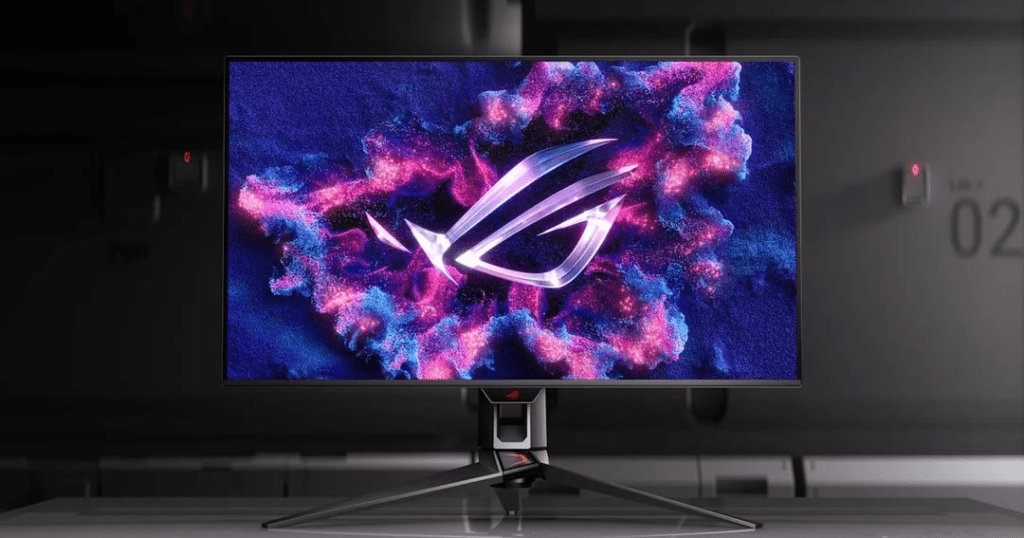
The new ASUS ROG Swift OLED PG32UCDM and PG34WCDN sit right at the top of the premium gaming monitor food chain. One is a 31.5” 4K 240Hz Gen4 QD-OLED all-rounder. The other is a 34” ultrawide Tandem RGB QD-OLED built for immersion addicts.
The real question isn’t “Is this good? It’s: Is this overkill, or the new standard? Let’s break it down properly.
Monitor Specs That Actually Matter for Gaming
Forget marketing fluff. Here’s the side-by-side breakdown.
| Feature | PG32UCDM Gen3 | PG34WCDN |
|---|---|---|
| Panel Size | 27-inch | 34-inch (curved ultrawide) |
| Resolution | 3840 x 2160 (4K) | 3440 x 1440 (21:9 ultrawide) |
| Refresh Rate | 240Hz | 360Hz |
| Panel Type | Gen4 QD-OLED | QD-OLED |
| Vesa Certification | DisplayHDR TRUE BLACK 500 | DisplayHDR TRUE BLACK 500 |
| HDR | HDR10, Dolby Vision | HDR10 |
| Connectivity | DisplayPort 2.1 + HDMI 2.1 | DisplayPort 2.1 + HDMI 2.1 |
| Ideal For | Competitive + visual fidelity | Immersion + multitasking |
Now let’s translate what that actually means.
Real-life examples
What makes this stand out isn’t just the resolution. It’s Gen4 QD-OLED at 4K 240Hz, and that’s a very different class of display.
While there are already plenty of 4K 240Hz monitors on the market, with many at lower prices, most are still traditional LCD panels.
- Gen4 QD-OLED panel technology (true blacks, per-pixel lighting, superior contrast)
- Higher colour volume and HDR performance vs typical IPS
- VESA DisplayHDR True Black certification, meaning it actually meets strict HDR contrast and black level standards
That combination is what separates this from “just another 4K 240Hz monitor.”
So the real upgrade is more than just the refresh rate, but the image quality at that refresh rate.
Ideal for: Gamers who want top-tier visual fidelity and performance, plus high refresh numbers on paper.
PG34WCDN: The Immersion Machine
This one is about field of view and colour depth.
QD-OLED combines quantum dot colour enhancement with OLED’s per-pixel lighting. Translation? More vibrant colours, stronger brightness performance, and still-perfect blacks.
This is the monitor for RPG players, Sim racers, Space game enjoyers, or anyone who wants their desk setup to look mildly illegal.
And yes, multitasking on a 34” ultrawide is dangerously addictive. Don’t say we didn’t warn you.
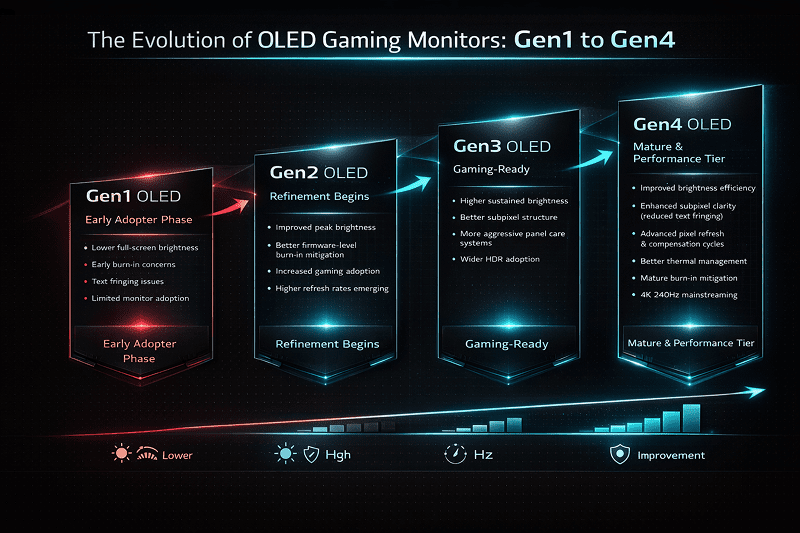
Gen3 vs Gen4 OLED: What Actually Changed?
Gen4 OLED isn’t just a small tweak. Several meaningful improvements make it more mature tech.
1. Brighter Panels
Earlier OLED monitors were criticised for lower full-screen brightness compared to IPS. Gen4 panels push higher peak brightness while improving sustained brightness handling.
Is it retina-scorching HDR TV levels? No.
Is it bright enough for most rooms, including your sunlit HDB setup at 2pm? Probably.
2. Improved Subpixel Structure
Subpixel layout refinements reduce text fringing and improve clarity, especially at 4K resolution. This matters more than people think if you’re also using your monitor for work.
3. Better Heat & Longevity Management
- Smarter pixel shifting
- Automatic pixel refresh cycles
- Logo brightness limiting
- Improved thermal design
Which brings us to the elephant in the room.
No Burn-in Issues?
No OLED is physically immune to burn-in. That’s not how organic materials work. But Gen4 panels significantly reduce the risk under normal usage. If you’re gaming, watching content, switching apps regularly, the likelihood of noticeable burn-in is extremely low.
If you’re leaving Excel open 12 hours a day with static UI elements at max brightness? Maybe reconsider your life choices.
For most gamers, burn-in is no longer the dealbreaker it used to be.
One big reason: built-in Pixel Refresh (sometimes called panel refresh, pixel cleaning, or compensation cycle). ASUS includes an automatic pixel refresh system that runs periodically to recalibrate voltage levels across subpixels and reduce uneven wear. Short refresh cycles typically trigger after several hours of cumulative use, while a longer compensation cycle may run after extended usage. This helps prevent image retention from becoming permanent burn-in over time. ASUS also pairs this with pixel shifting and logo brightness limiting as part of its OLED Care features.
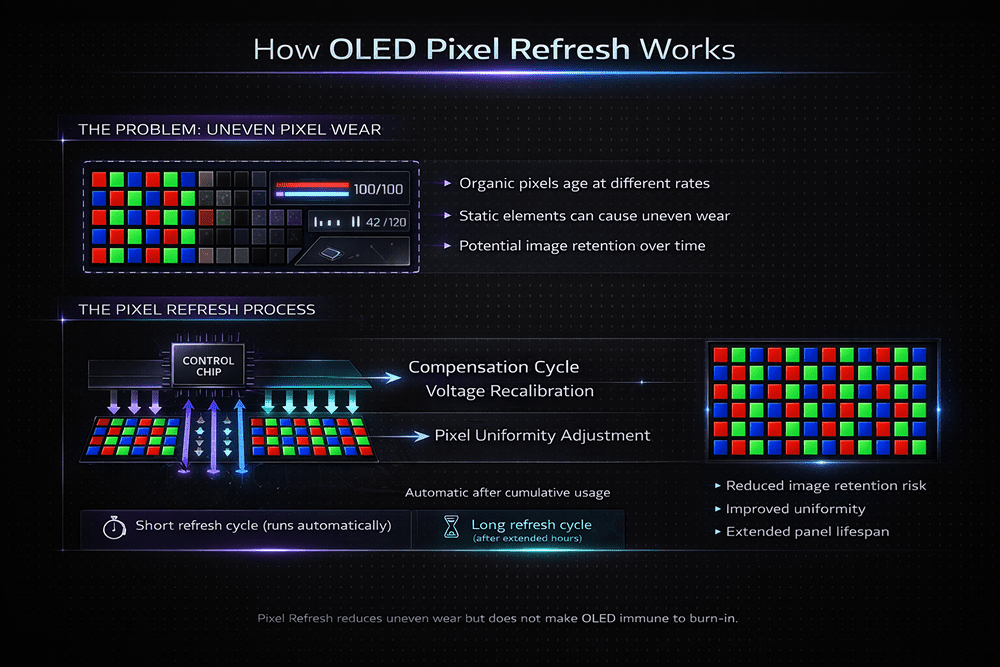
For deeper technical context on how compensation cycles reduce burn-in risk across OLED displays in general, RTINGS has a solid long-term test breakdown.
Bottom line: Pixel Refresh doesn’t make OLED indestructible. However, combined with modern panel improvements, it makes real-world burn-in far less likely for typical gaming use.
True Black is not just Marketing
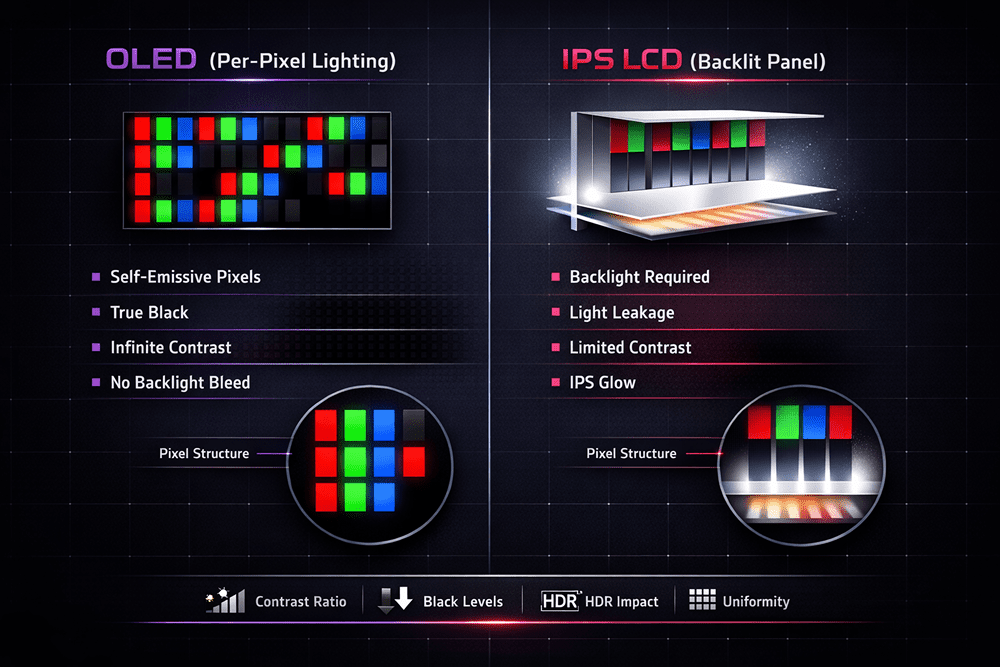
OLED doesn’t “dim” pixels. It turns them off completely.
- Infinite contrast ratio
- Zero backlight bleed
- No IPS glow
In horror games, dark scenes aren’t grey. They’re actually black. In space games, the void looks like a void, not a washed-out charcoal gradient.
HDR also benefits massively. When bright highlights sit next to true black pixels, the perceived contrast is dramatically higher than traditional LCD panels.
Once you’ve experienced this properly, going back to IPS feels… compromised.
Who Should Buy the new ASUS OLED Gen4 Gaming Monitor (And Who Shouldn’t)
Let’s be balanced.
- You already own a high-end GPU
- You want an OLED, 4K, 240Hz Gaming Monitor without compromise
- You care about HDR and colour accuracy
- You play visually rich AAA games
- You’re building a premium desk setup
This is enthusiast-tier hardware.
- You only play competitive titles at 1080p
- Your GPU struggles at 4K
- You mostly do static office work all day
- You’re upgrading from a decent 1440p 240Hz IPS and expect life-changing gains
This monitor isn’t for everyone, and that’s just fine.
The Real Bottleneck Most Gamers Ignore
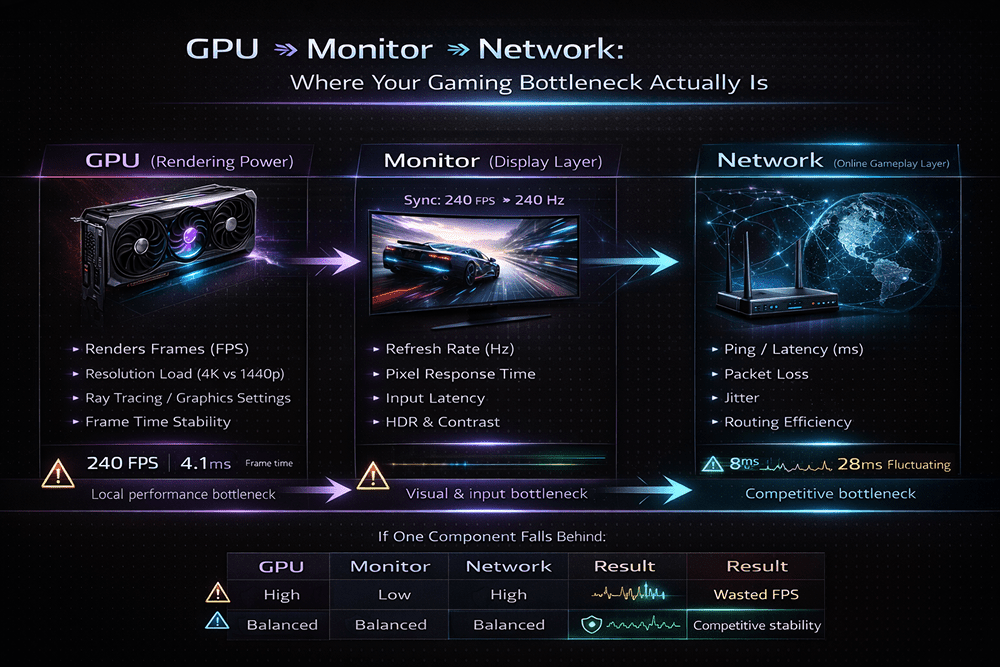
Here’s something people don’t talk about enough.When you upgrade to 240Hz, you start noticing everything: frame drops, network inconsistencies, you name it. High FPS means nothing if your monitor can’t display it. And ultra-high refresh rates won’t save you from unstable latency.
High refresh panels expose input latency and packet instability far more clearly than 60Hz ever did. There’s a difference between high FPS and low network latency.
You can push 240 frames per second locally and still feel “off” if your connection spikes mid-fight.
That’s where low latency broadband actually matters. For competitive gamers, stable routing and consistent performance can make more difference than another 20 FPS.
That’s also why premium bundles pairing this monitor with a performance-focused broadband plan exist. Because upgrading one part of your setup while ignoring the rest is how bottlenecks happen.
If you’re looking at upgrading both your display and connection together, we’ve also put together a limited bundle pairing the ASUS ROG Swift OLED PG32UCDM Gen3 with our GAMER 10Gbps Broadband.
27” vs 34” Ultrawide: Which Experience Wins?
This isn’t about which is better. It’s about what kind of gamer you are.
| Category | 27” 4K 240Hz (PG32UCDM) | 34” Ultrawide QD-OLED (PG34WCDN) |
|---|---|---|
| Image Density | Sharper pixel density | Slightly lower pixel density |
| Competitive Play | Better for precision and esports | Less common in competitive scenes |
| Immersion | Standard 16:9 field of view | Massive 21:9 immersion boost |
| GPU Demand | High (4K 240Hz) | High (Ultrawide high refresh) |
| Desk Footprint | Cleaner, more compact | Wider setup, more desk space needed |
| Productivity | Solid | Excellent multitasking panel |
If you play esports titles seriously, 27” makes more sense. If you want cinematic immersion and multitasking flexibility, ultrawide wins.
There’s no wrong answer. Just different priorities.
Long-Term Ownership: Will This Still Feel Premium in 3 Years?
Short answer: Probably. But let’s be realistic about how fast tech moves.
Monitor tech evolves quickly. Every year we see higher refresh rates (360Hz, 480Hz, and beyond), brighter OLED panels, new panel coatings and subpixel refinements. Pretty much, we’re seeing incremental latency and firmware improvements
So, yes. Something newer will exist in three years. That’s guaranteed. But will this feel outdated?
Unlikely.
- 4K 240Hz is still ahead of what most GPUs can consistently drive
- HDMI 2.1 keeps it fully compatible with current-gen consoles
- OLED image quality doesn’t “age” the way resolution jumps do
We’re no longer in experimental OLED territory. This is mature, refined panel tech.
In three years, you might see brighter panels or higher refresh numbers, but you won’t suddenly look at this and think it’s obsolete.
More likely, you’ll think: I bought at the point when OLED finally made sense.
Final Verdict on the ASUS ROG Swift OLED PG32UCDM Evolution, Not Gimmick
The ASUS ROG Swift OLED PG32UCDM and PG34WCDN aren’t gimmicks.
They’re what happens when OLED pc gaming monitors stop being experimental and start being refined.
Are they expensive? Yes. Are they for everyone? No.
But if you’re building a no-compromise gaming setup, this is the tier where compromises basically disappear.
Just make sure the rest of your setup, like GPU, cables, and yes, your broadband, can keep up.
