




This article was updated November 2020.
If you want to enhance your Wi-Fi network, you should consider replacing your routers with mesh Wi-Fi routers. While most people understand what routers are, they often ask questions such as: what is a mesh Wi-Fi router? And how do mesh routers stack up against traditional routers? Mesh routers and standard routers are devices used to set up Wi-Fi networks in homes and companies. These networking devices connect to modems in order to share internet access from internet service providers (ISPs) with many wireless devices such as smartphones, tablets, and PCs.
If you want a constant Wi-Fi connection in every room of your house or workplace, you should look into mesh Wi-Fi. Understanding this networking equipment thoroughly will allow you to choose the best alternative for your Wi-Fi network.
Why Wi-Fi mesh systems?
Wi-Fi mesh systems have been replacing the “traditional” routers with a new way of delivering internet connectivity throughout your home. Why? Wi-Fi mesh systems are a great and rather easy-to-implement solution to the problem of Wi-Fi dead spots: the places in your home where you can’t get proper Wi-Fi coverage.
Imagine getting a brand new Wi-Fi router and you find out that you still can’t get Wi-Fi coverage in parts of your house. The connection may be completely fine in the kitchen and living room until you get to your bedroom and then become absolutely non-existent in the bathroom at the back of the house.
For many people, it’s not feasible to move your Wi-Fi router to get a better signal or faster Wi-Fi speed. Most people place their Wi-Fi routers near access points or where your service line (be it DSL, cable or fibre) comes in and these places are usually at one remote corner of the house.

Not everyone can position their Wi-Fi router in the middle of their homes.
So what are Wi-Fi mesh systems and how do they work better than the traditional single Wi-Fi router?
Home Networking 101: Your Modem and Router
Let’s quickly go over some basics. Your home network system generally consists of a single modem and a Wi-Fi router.
The modem is the device that connects your home to your Internet Service Provider (ISP) and the internet. If you’re in Singapore and on fibre broadband, you’d know this as your Optical Network Terminal or ONT. But, it’s basically your modem.
Older modems either connect to a cable port on the wall (specifically coaxial cables if you’re on cable broadband) or to a telephone socket (if you’re on ADSL or DSL).
See also: What’s So Great About Wi-Fi 7?

Your basic home network setup
A Wi-Fi router connects directly to the modem and is responsible for connecting all your home devices to the modem. That’s why it’s sometimes referred to as a “residential gateway”. It links your home’s private local network (with all your home devices) to the much larger internet.
All the devices in your house need to connect to your Wi-Fi router in some way. This may be via physical network cables, most commonly Ethernet cables, or wirelessly over Wi-Fi signals.

You can plug your computer directly into your Wi-Fi router using an Ethernet cable
A Wi-Fi router itself can’t connect directly to the internet. You’ll need a modem so your data can be transmitted as signals over the network beyond your house. This includes telephone signals or optical signals. Each ISP will provide you with their own modem.
Things sometimes get confusing because some ISPs combine a modem and router into a single device. While this helps reduce clutter, this prevents you from choosing your preferred Wi-Fi router or upgrading it. There are lots of different Wi-Fi router models in the market by different brands to choose from.
What are Wi-Fi routers?
A Wi-Fi router, even a high-end one, has limited reach. For some homes getting a more powerful Wi-Fi router model can fix your Wi-Fi coverage issues. For other homes, especially ones with lots of walls and rooms, getting a strong Wi-Fi signal throughout the entire residence can be a huge challenge.

A single Wi-Fi router can only reach so far.
(Image credit: TP-Link)
Now, we know what you might be thinking. Well, if one Wi-Fi router only gives so much coverage, why not use two or more? That’s actually what we’ve done! But it’s a bit more complicated than you might think.
What are Wi-Fi Repeaters?
Before Wi-Fi meshes came on the scene, Wi-Fi coverage problems were commonly fixed by Wi-Fi repeaters. A Wi-Fi repeater, as its name suggests, basically picks up a signal from your Wi-Fi router. It then repeats the Wi-Fi signal it receives. It’s a device that’s very similar to a Wi-Fi router – in fact you can actually turn a Wi-Fi router into a Wi-Fi repeater.

A Wi-Fi booster or extender extends the range of your Wi-Fi router
(Image credit: TP-Link)
The main downside of using a Wi-Fi repeater is that the repeated signal tends to be weaker than the original one, giving you about half the bandwidth of what the original Wi-Fi network provides: so if you connect a row of repeaters, the signal at the end of them will be significantly diminished. In other words, while you’re increased the range of your Wi-Fi to your other rooms, the connection strength and wireless speeds they’re getting can be quite bad. You’re also ultimately dependent on the signal strength and position of your main Wi-Fi router.
What are Wi-Fi Extenders?
Wi-Fi extenders or range extenders function in largely the same way as repeaters, grabbing the existing Wi-Fi signal from your wireless router and extending its range by re-broadcasting. They also have the added benefit of connecting to your main Wi-Fi router directly through cables instead of just relying solely on Wi-Fi signals.

Wi-Fi extenders and repeaters come in all shapes and sizes.
Another drawback is how Wi-Fi extenders and boosters typically create their own separate Wi-Fi networks with their own network names (or SSIDs as we call them). If you’re in an area with the choice of multiple networks, you may not know which is the best one to use. Your devices would also need to switch networks as you move from one part of the house to another.

The problem with having several Wi-Fi networks with different SSIDs
(Image credit: TP-Link)
What is a Wi-Fi Mesh System?
Why call it a Wi-Fi mesh? A mesh, like a web or a net, has many woven or attached strands. Likewise, several interconnected parts make up a Mesh Wi-Fi system. Instead of a single router, a Wi-Fi mesh consists of a group of networking components commonly known as nodes. One node connects to the modem while the others are placed throughout your home.

With a Wi-Fi mesh network, every node creates and supports one unified Wi-Fi network
(Image credit: TP-Link)
Compared with Wi-Fi extenders or repeaters, all nodes of a Wi-Fi mesh system are part of a single network and can wirelessly connect and communicate to each other. The modem still remains unchanged–we’ve simply replaced the old single router with a new multi-node router system.
Unlike Wi-Fi repeaters or extenders, which ultimately rely on the single Wi-Fi router to send signals out, each Wi-Fi mesh node can send and receive signals and support other nodes, like points in an interconnected web.
See also: MyRepublic Broadband Plans

A Wi-Fi mesh system (left) vs a traditional Wi-Fi system (right)
(Image credit: TP-Link)
This mesh Wi-Fi system helps nodes that are furthest away from your modem deliver a strong Wi-Fi signal: instead of relying on one point or one main Wi-Fi router, they can support each other to provide the best available signal strength.
In fact Wi-Fi Mesh technology has been used for quite some time to provide Wi-Fi access in public areas and government buildings. The multi-node system provides “path diversity”, which means that even if a node fails or the transmission path is momentarily blocked, the signal can continue to transmit. This is because the nodes rely on a routing algorithm that calculates the fastest route to a specific destination–they basically talk to and support each other.

Path diversity: If one node has an issue, the Wi-Fi mesh system can automatically reroute data to maintain connectivity
(Image credit: TP-Link)
Benefits of Wi-Fi Mesh systems
There are definite advantages of using a Wi-Fi mesh but there are some drawbacks as well. Here’s what you should consider:
1. Ease to set up and use
A Wi-Fi mesh system is much easier for non-tech-savvy users to set up. A Wi-Fi router plus extender is much more technical. There’s no special configuration or technical setup required: You generally just plug each Wi-Fi mesh node into a power source and one of the nodes into your internet modem.
Many mesh systems also come with an app that walks you through the installation process. The TP Link Deco X60 system, for example, comes with the Deco mobile app that walks you through how to set up your Wi-Fi mesh system and provides features such as Quality of Service (QoS). Such apps can also help guide you to where to place each node to get the best Wi-Fi coverage for your home.

The TP-Link Deco app
Additionally, with a Wi-Fi mesh system, your devices only need to connect to one network with one SSID. As you move around the house, you won’t have the hassle of signing into a new Wi-Fi network or ensuring that your device is connected to the network you want. The Wi-Fi mesh system makes sure data is transmitted across the nodes via the fastest route, so no matter where you go or which floor you decide to hide out on, you’ll stay connected.

TP-Link Deco X60 Whole Home Mesh Wi-Fi System
2. Flexible and Scalable coverage with mesh Wi-Fi
Maybe you’ve moved to a new place with a completely different layout or you’ve had some renovation work done. As your living space changes or grows, you may find that your current home networking setup isn’t providing the same quality connectivity as before.
With a Wi-Fi mesh system, all you need to do is to rearrange where you placed the nodes. If your place is bigger now and you need to expand your Wi-Fi coverage, you can buy and easily add additional nodes. They should connect automatically with your existing mesh network: no need to sign up new SSIDs or passwords or do any technical configurations: simply plug the node into a power source, open the app and connect it to the rest of the family.

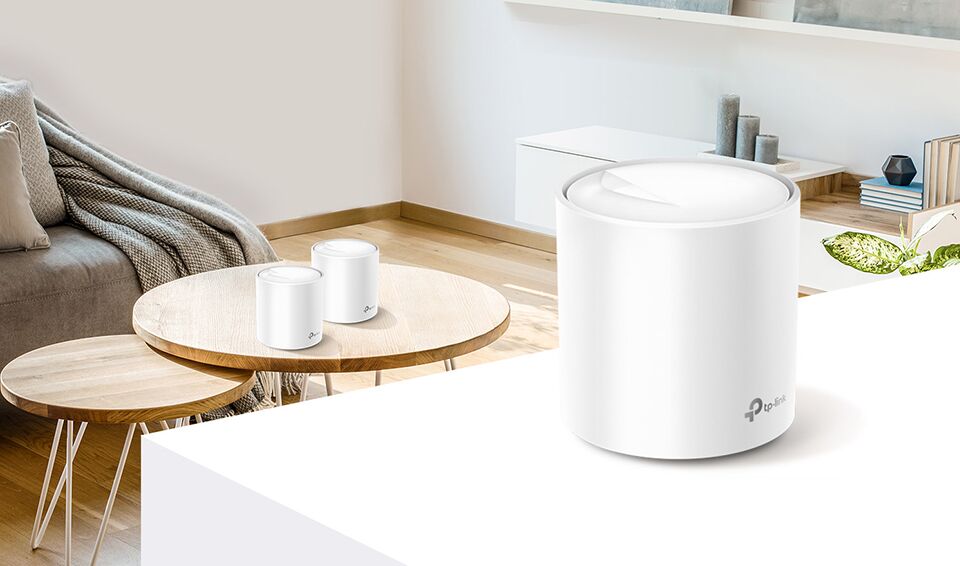
Wi-Fi mesh nodes are designed to be inconspicuous
3. Less Wires and Clutter
Trip wires are exciting in a dungeon; not so much in your home and office. Mesh Wi-Fi nodes are generally smaller, sleeker, and more discreet compared to Wi-Fi routers and extenders. This is a great choice for those who prefer to keep network cables and Wi-Fi devices out of sight.
Some Wi-Fi system nodes are even cable-free: they plug directly into a power point. Eero was the first company to introduce a Wi-Fi mesh system. This form and design still remains very popular today.
See also: MyRepublic Broadband Promotions

Many Wi-Fi mesh systems have adopted Eero’s compact and sleek design
4. Doubles as a Smart Home Hub
Some Wi-Fi mesh systems like the Google Nest Wi-Fi and the TP-Link Deco X60 can also serve as a smart home hub, allowing you to access the smart devices in your home with the same app you use for your Wi-Fi mesh system.
Most Wi-Fi Mesh systems have mobile applications that allow users to build, monitor, and administer their Wi-Fi networks. Furthermore, if you want to automate everyday operations using smart home devices like smart lighting and smart thermostats, you’ll need a strong signal in every area of your house. This is particularly true if you want to use smart speakers and screens that allow you to control equipment with a voice command.
When growing a mesh Wi-Fi network, you simply add more mesh routers and configure them using the accompanying app. The remainder is handled automatically by the mesh network.
Adding extra mesh routers to a mesh Wi-Fi network does not result in the creation of a new Wi-Fi network. As a result, you won’t have to switch networks as you move about. A whole-home Wi-Fi system with mesh deployment is also excellent for areas with many storeys. If you live in a mid-sized, big, or multi-story house, you may need a mesh Wi-Fi network.

Google Nest Wi-Fi
5. Cost and Coverage
Getting a new Wi-Fi mesh system isn’t cheap. A good Wi-Fi mesh kit (which includes two or more nodes) is generally more expensive compared to a single good Wi-Fi router: at least twice as expensive if you’re looking at the same level of performance.
A Wi-Fi mesh kit is also definitely more expensive than getting a new Wi-Fi repeater. One is generally cheaper than a Wi-Fi router.
If keeping costs low is a concern and you’re only troubled with one particular Wi-Fi dead spot in your home, it may be most cost-effective to get a Wi-Fi repeater and keep your Wi-Fi router. As mentioned above, getting a Wi-Fi mesh means replacing your existing Wi-Fi router completely.
If your home isn’t that large or you aren’t dealing with that many Wi-Fi connectivity issues, a Wi-Fi mesh system may not be worth the investment. For some homes, a good Wi-Fi router or a Wi-Fi router with an extender is good and simple enough.
Consider all the items in our homes that depend on Wi-Fi: tablets, computers, smartphones, smart TVs, even kitchen appliances. Also, think about how rich the media we consume online today is. Investing and ensuring that the Wi-Fi in your home network simply works is vital. Ready to try something different? Wi-Fi meshes are quickly becoming a popular choice for the less tech-savvy crowd.

What is Wi-Fi 8 and when is it coming out? Learn more about Wi-Fi 8

Everything you need to know about choosing, setting up and optimising a gaming router for

Wi-Fi 7 is the next evolutionary leap in wireless networking, bringing extraordinary benefits in today’s

If you’ve ever shouted “WHY AM I LAGGING?!” at your screen, chances are you’re actually

Imagine playing the latest AAA games without needing a powerful graphics card, massive downloads, or
E-sports in Singapore, though once considered a niche hobby, has now exploded into a growing

Embedded seamlessly into the hardware of our devices, eSIM cards redefine the way we communicate

This article was updated November 2020. WiFi mesh systems are the latest growing trend in
